
The Top 7 JavaScript String Methods Every Webdev Needs to Know
Most JavaScript developers work with strings every day, but often they do not have the slightest idea what they are actually doing.
They copy and paste somewhere, and somehow it works, until it does not anymore.
Yes, I used to be like that too, until I sat down and really tried to understand strings.
So that you too can finally stop looking at your code with confusion like in the picture above, here are the seven most important string methods you need to know.
Let us get started.
1. String.prototype.at()
If you thought that word[word.length - 1] was good, then good night at the latest with certain Unicode characters.
JavaScript has had a more elegant solution for years, which you should start using right away.
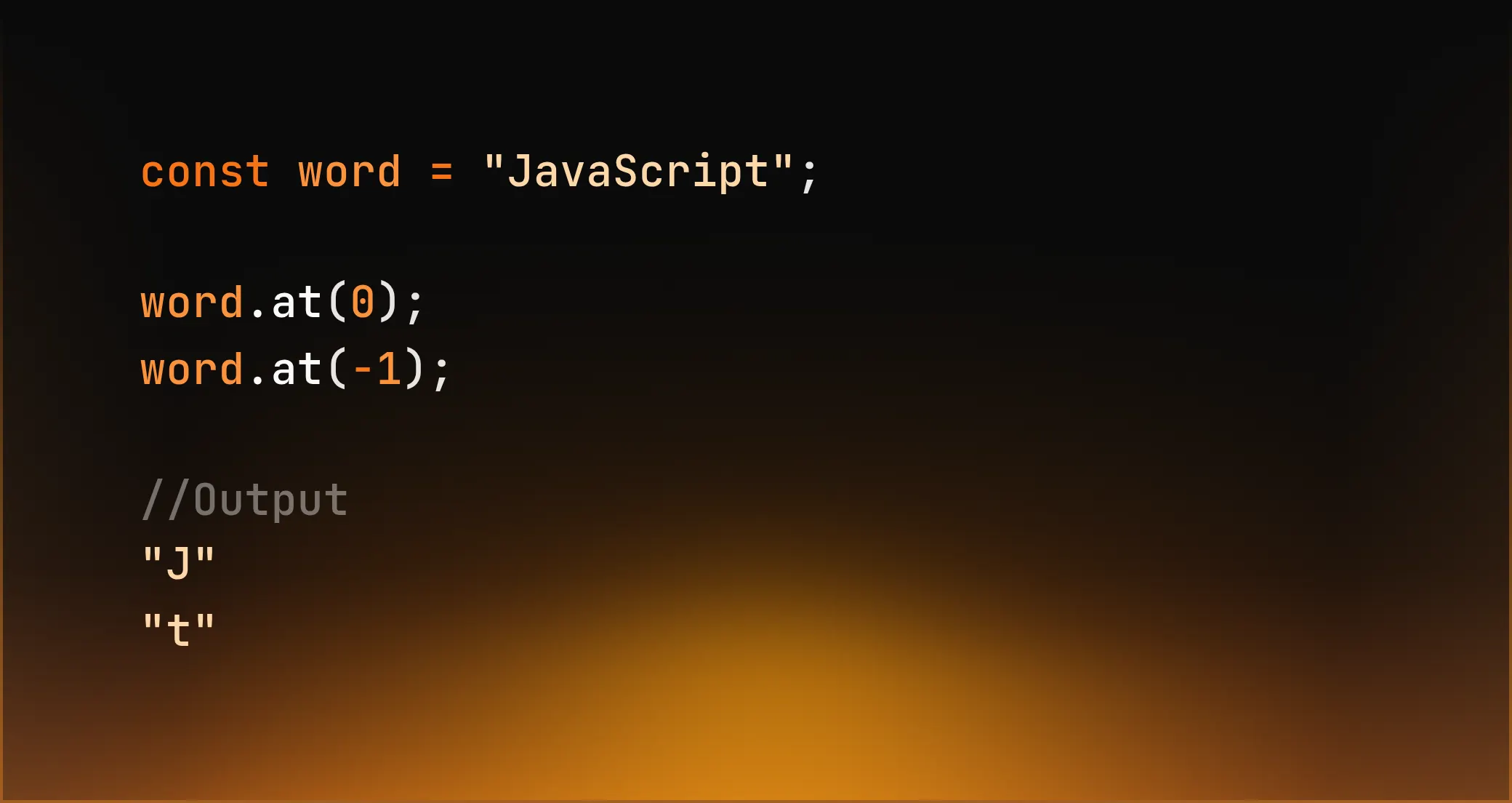
You replace the unreadable and error-prone word[word.length - 1] and immediately have fewer bugs and less mental effort.
2. String.prototype.replaceAll()
This replaces all occurrences of a string. All of them. Cleanly. Without regex hell that looks like Chinese alphabet soup spilled on the screen.
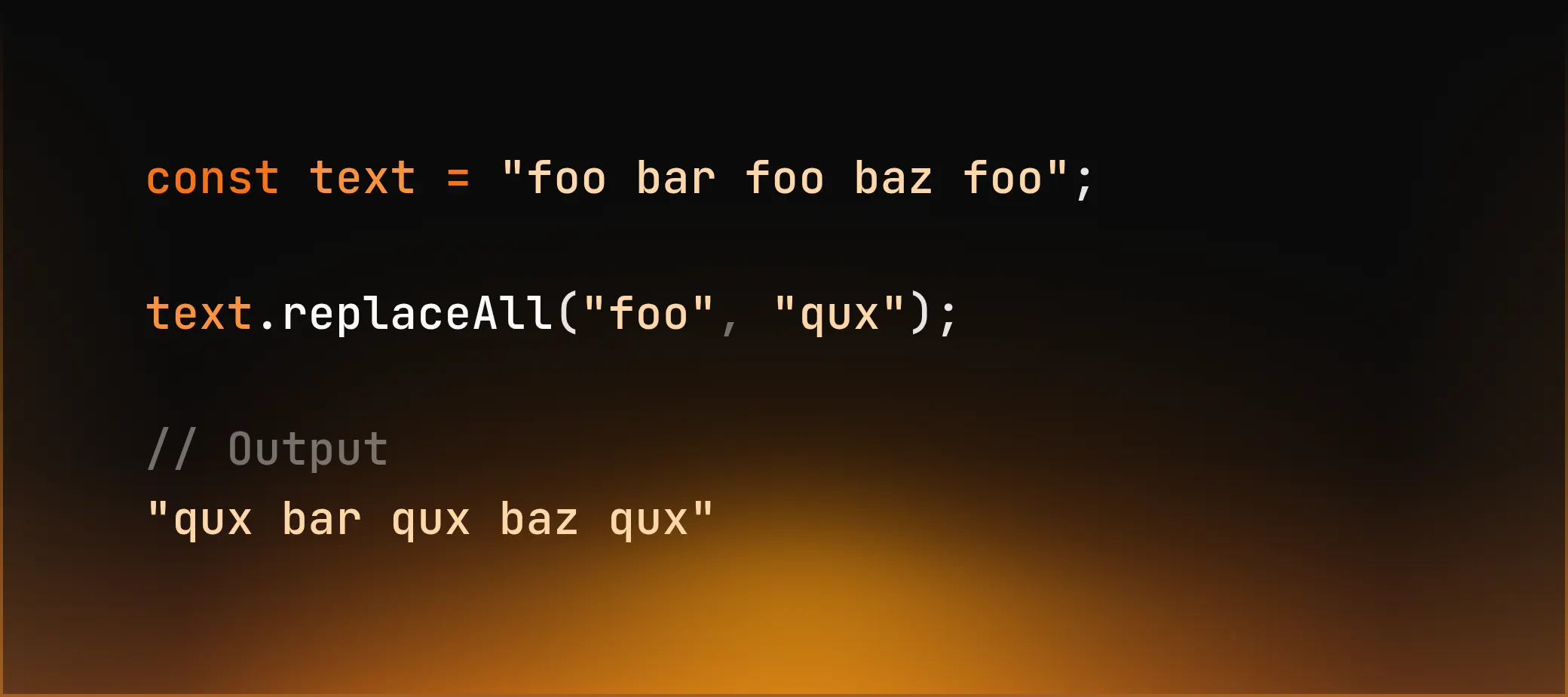
This example clearly illustrates why this makes much more sense:
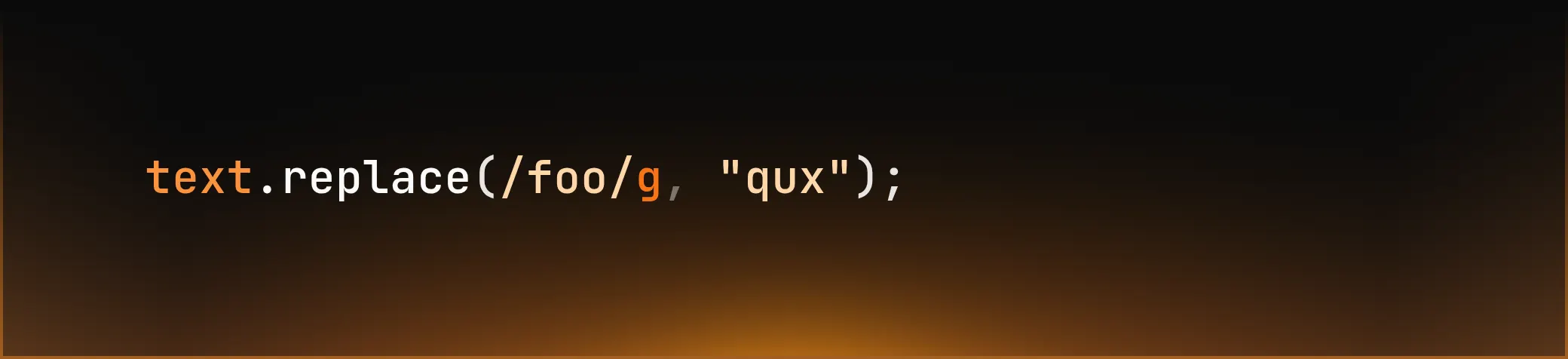
What is more readable? I guess the first one, right?
3. String.prototype.matchAll()
Anyone who has ever had to deal with logs, analytics, or crude API responses will appreciate this feature.
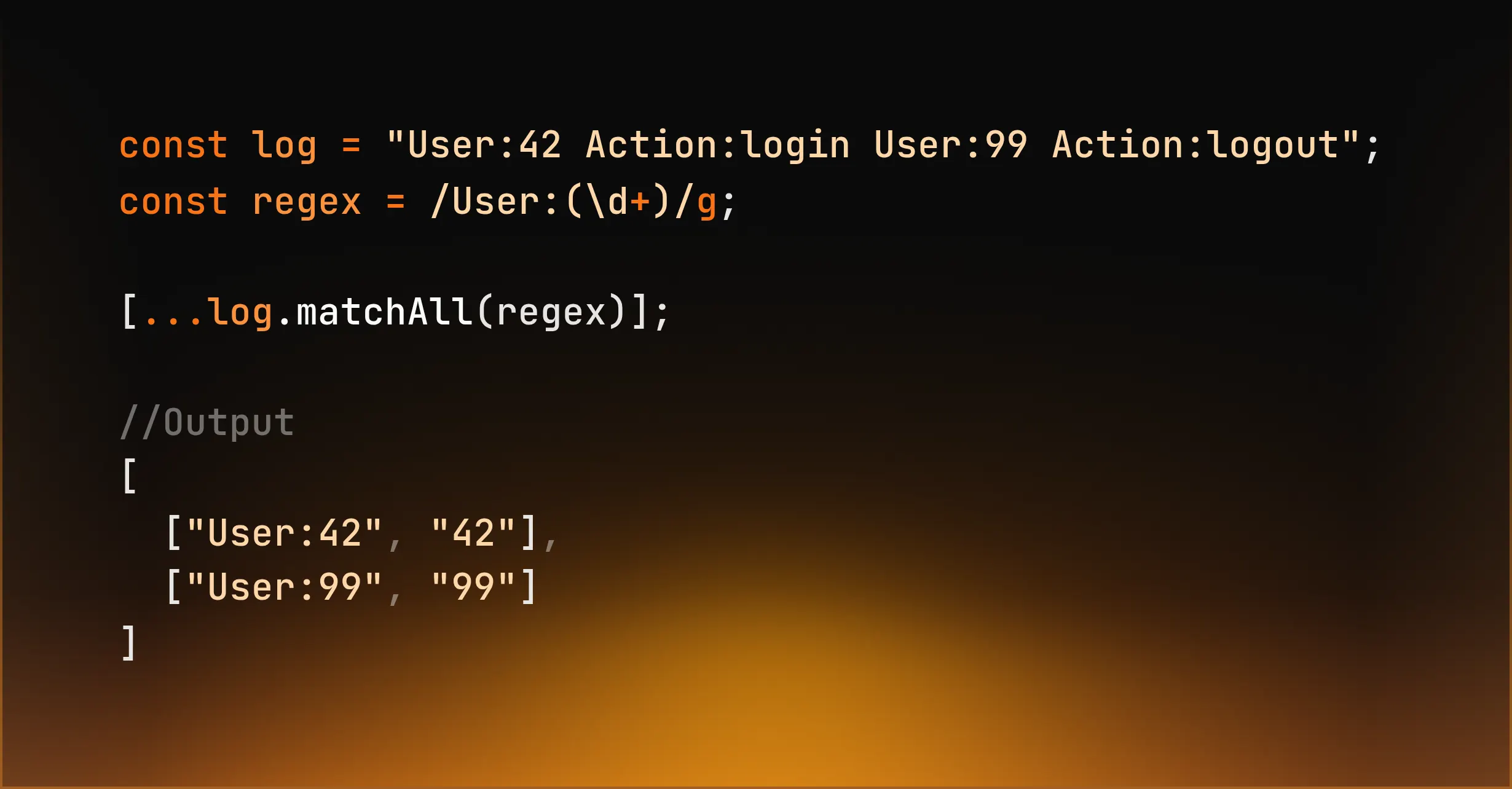
When you extract data and need groups, this is not a luxury. It is a necessity.
4. padStart() / padEnd()
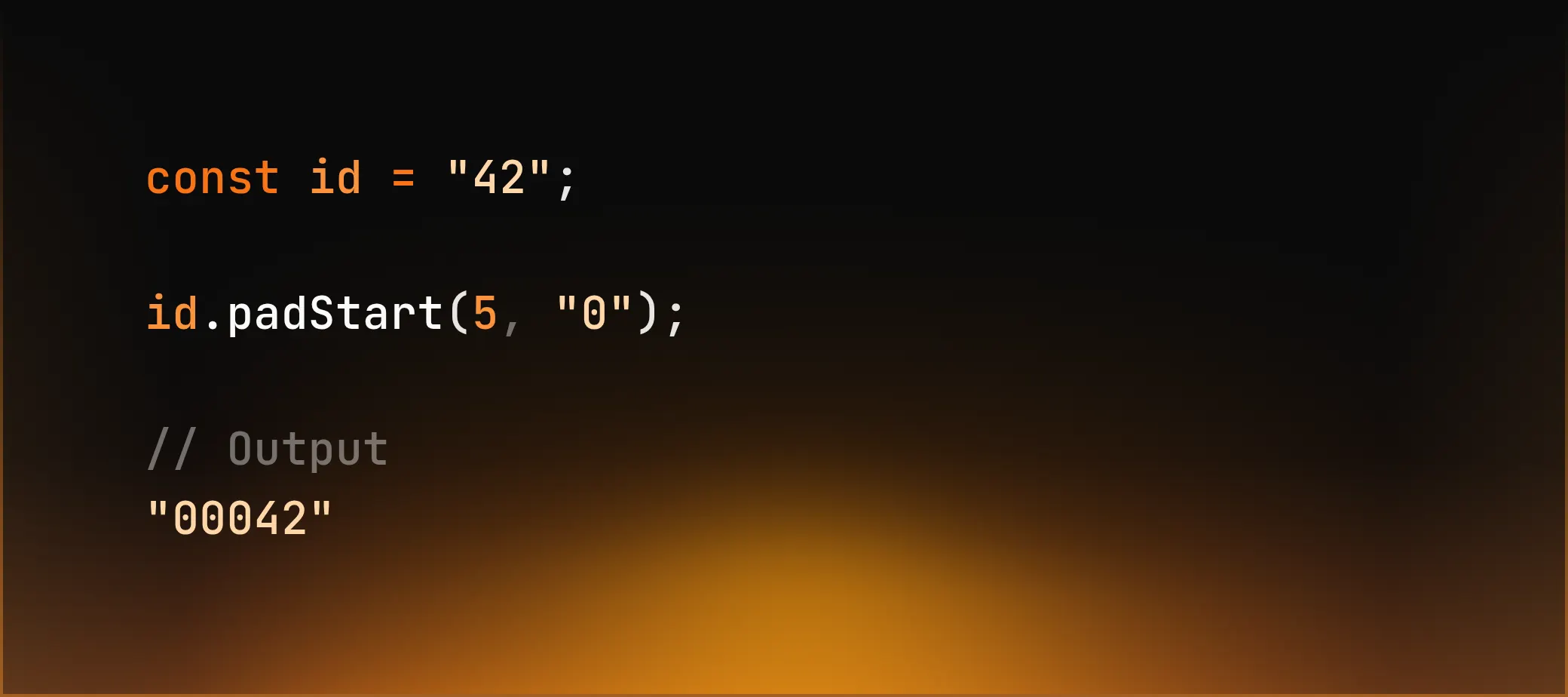
Invoice numbers, bank data, log timestamps, binary IP addresses. People still use loops for this. They should not.
JavaScript provides a much cleaner way:
5. String.prototype.normalize()
As soon as you compare strings with Unicode characters in any way, normalize() is mandatory.
Here is why:
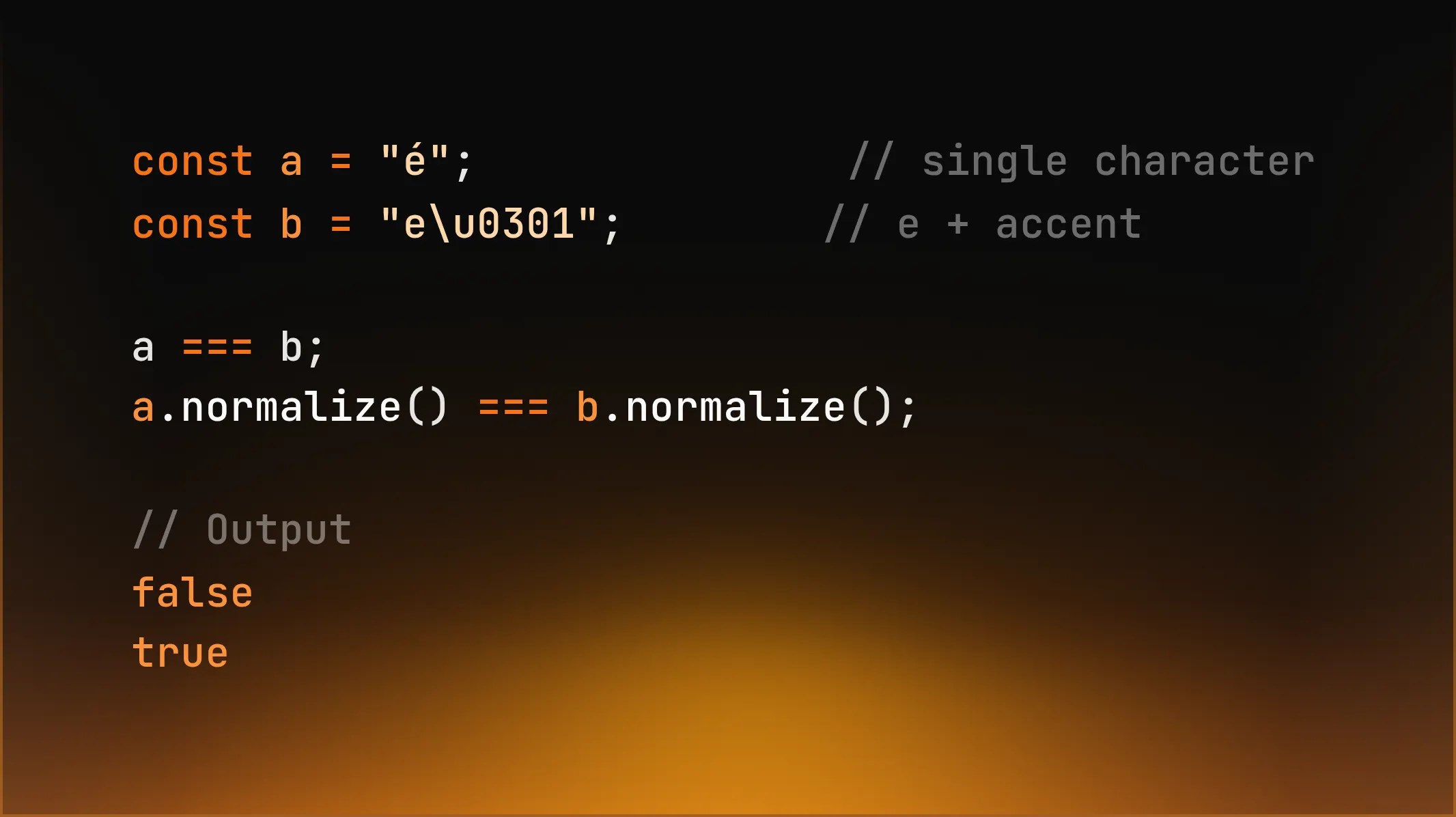
If you compare user input, filenames, search terms, or identifiers and do not normalize, you are shipping bugs.
6. trimStart() / trimEnd()
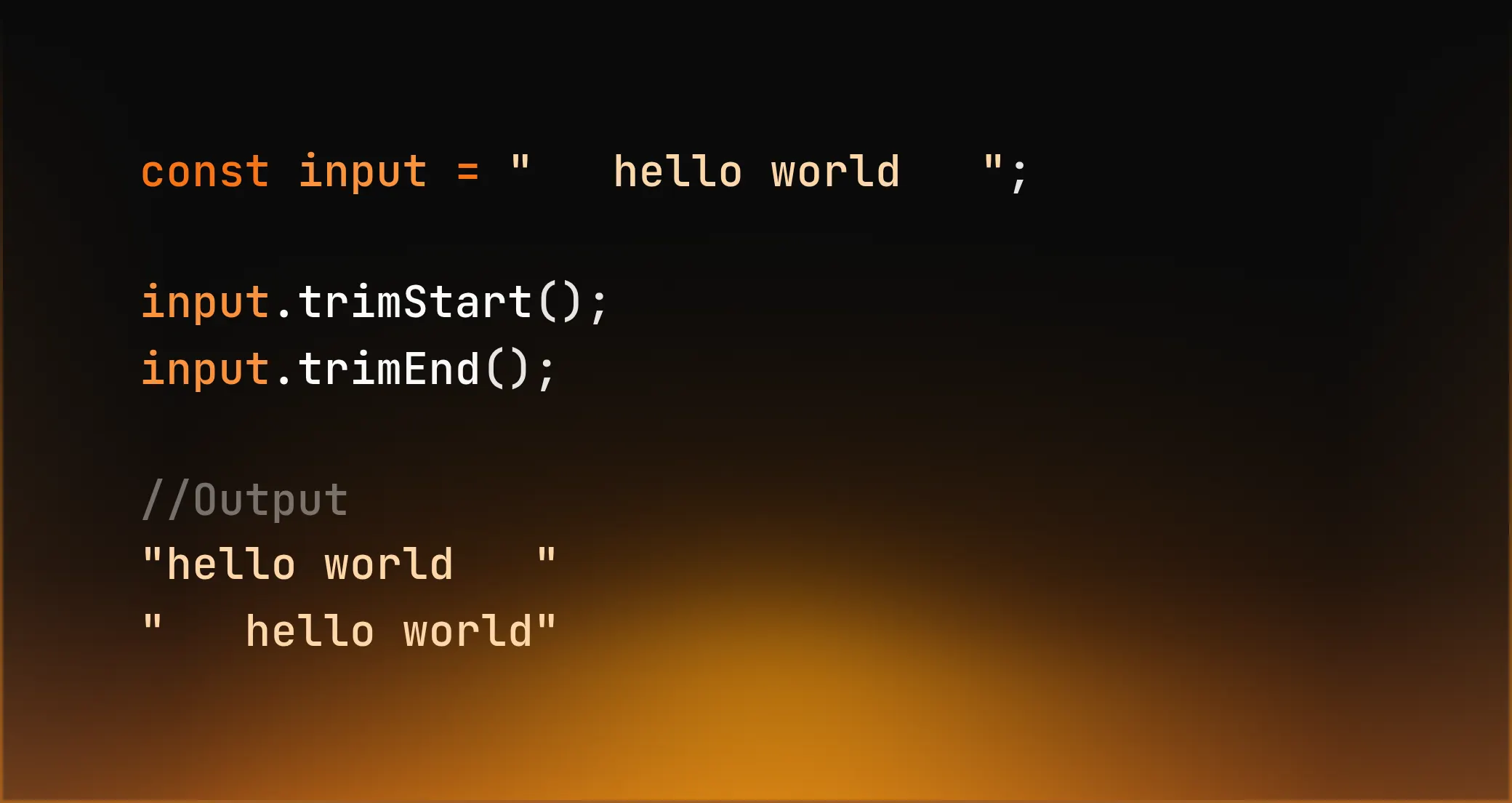
Often, you do not need the full brutality of trim(), but spaces at the beginning or end are important.
Markdown parsers, code formatters, or command-line inputs depend on whitespace being in the right place.
7. split() with limit
Why split everything when you only need the beginning?
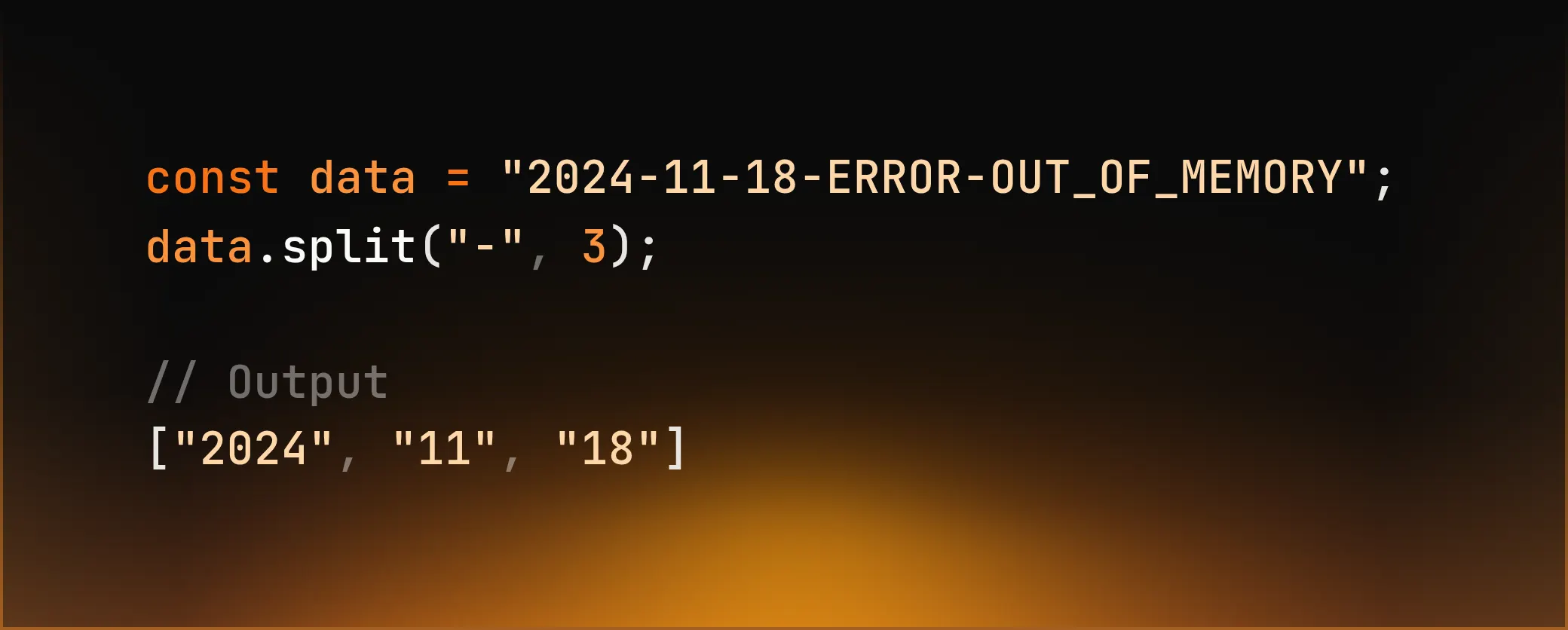
Less work. Less storage. More clarity.
Final Words
Most developers use strings, but do not understand them.
These methods do not exist for elegance. They exist because software fails with text, time and time again.
If you ignore them, you will write code that:
- works locally
- breaks internationally
- fails with real user data
And you will not notice until it is too late.
JavaScript did not get these tools for fun. So use them.
Happy coding!